
Ring Phone Calls - JusCall
JusCallCommunication
4.1623.00 Reviews
- Version
- 6.6.6
- Installs
- 10.00M
- Age Rating
- Everyone
Screenshots
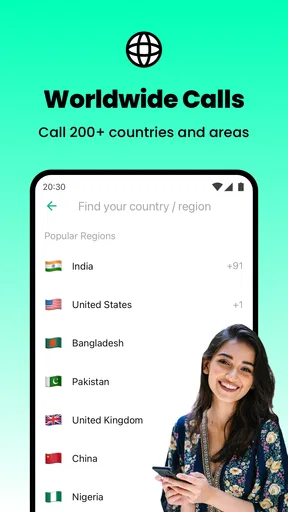
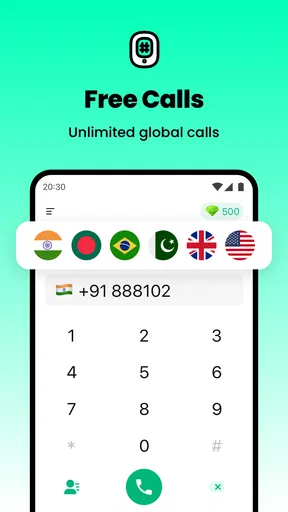
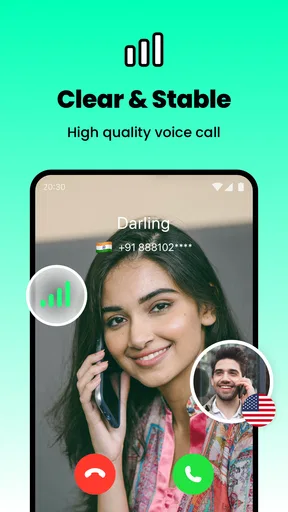
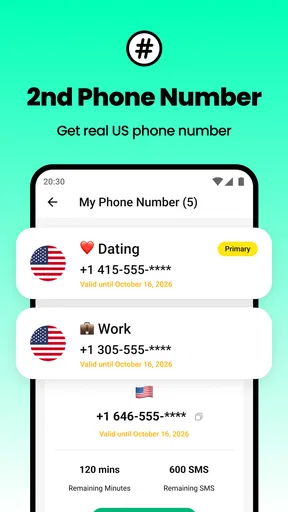
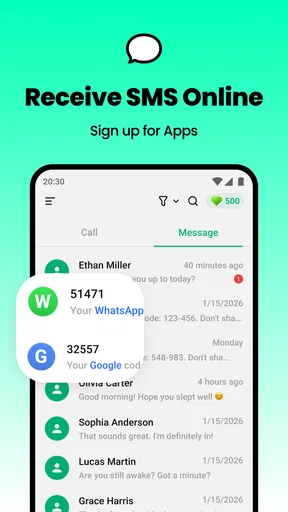
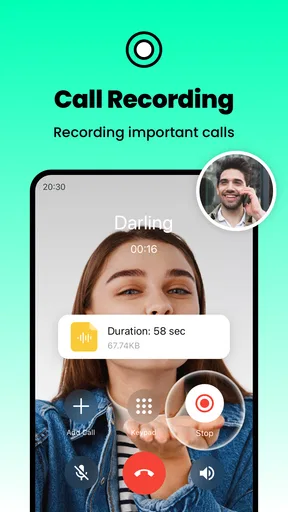
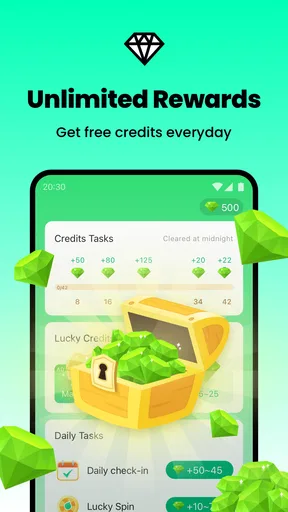
Our Review of Ring Phone Calls - JusCall
 Analysis by Appyee
I tried Ring Phone Calls - JusCall as a communication app for situations where a normal mobile call is not the most convenient option. Its focus is straightforward: voice conversations over Wi-Fi and worldwide calling through eSIM mobile connectivity. That makes it especially interesting for people who travel, call relatives abroad, or regularly move between places with different mobile networks.
The important thing is to view it as a calling tool rather than a complete replacement for every phone service. It can be useful when internet access is available and when you want another route for making a voice call, but the experience depends heavily on the quality of the connection and on how often you actually need this kind of service. I found the app easiest to appreciate when I considered a specific problem first instead of treating it as a universal phone replacement.
How JusCall fits into everyday calling
JusCall is developed by JusCall and belongs to the communication category. It is free to install, with optional in-app purchases ranging from $0.99 to $50.00 per item. That distinction matters: downloading the app does not automatically mean every calling possibility is included at no cost. The free entry point lets you explore the service, while the paid side is where users should carefully consider how much international or mobile calling they really need.
The app is suitable for Everyone, and it runs on Android devices using version 6.0 or later. Its current version is 6.6.6. Those details make it accessible to people using older compatible phones, although the actual comfort of calling will still depend more on the handset, microphone, speakers, and network than on the age rating.
JusCall has been available since May 21, 2017, and its reach is substantial: it has passed ten million installs. Its average score is 4.1 from around ninety thousand ratings, with 623 written reviews. I read that combination as a sign of broad interest rather than a guarantee that every call will be perfect. A large user base can indicate that the basic idea solves a real problem, but voice apps are unusually sensitive to local network conditions, so individual results can vary.
The central appeal is the combination of Wi-Fi VoIP calls and eSIM mobile calling. In practical terms, that gives the app two different contexts. At home or in a hotel, Wi-Fi may be the convenient route. While traveling, the eSIM side may be more relevant, particularly when relying on a local mobile connection instead of a traditional roaming arrangement. I would not assume that both routes behave identically in every location; the sensible approach is to test the option you plan to use before depending on it for an important conversation.
What the free starting point really means
The free price is useful because it lowers the risk of trying the app. You can install it without committing to a subscription price, and that makes it reasonable for occasional callers who want to inspect the interface and see whether it suits their routine. However, “free” should be understood as free access to the app itself, not as a promise that all destinations, call types, or usage levels will remain free.
Because purchases are available inside the app, I would treat any credit or calling option as a separate value decision. Someone making a short call once in a while may find a small purchase more sensible than maintaining a conventional international plan. A person who calls overseas every day should compare the total cost of repeated purchases with a mobile carrier package, a messaging service, or another VoIP provider before settling on JusCall.
This is also where expectations matter. The app’s store positioning emphasizes high-quality voice calling, but “high quality” cannot remove the limits of a weak Wi-Fi signal, congested public network, poor mobile coverage, or a recipient’s unreliable connection. I would use the free starting point to test a short, non-urgent call first. That simple trial can reveal more about suitability than a feature list can.
Where the app delivers practical value
The strongest use case I found is travel planning. Imagine arriving in another country with a phone that has limited traditional service. If you can connect to dependable Wi-Fi, JusCall gives you a dedicated way to attempt a voice call without relying entirely on the standard dialer. If you are using an eSIM mobile connection, the app’s travel-oriented calling angle becomes more useful when Wi-Fi is unavailable or inconvenient.
A second useful scenario is keeping in touch with family members who prefer voice calls over text messages. Many people are comfortable with ordinary phone conversations but do not want to learn a complicated social platform. A focused calling app can feel less distracting than a full messaging network. I would still check what the person receiving the call needs on their side, because the convenience for the caller does not automatically guarantee the same setup for the recipient.
JusCall can also serve as a backup route. If your regular carrier has an awkward international option, or if you are in a place where Wi-Fi is available but cellular calling is inconvenient, having a separate calling app ready can reduce last-minute stress. The key is preparation: install it, understand the calling flow, and make a test call before an airport transfer, business appointment, or family emergency.
One non-obvious advantage of this kind of setup is separation. You do not have to reorganize your entire communication routine just to handle occasional overseas calls. The app can remain a specialist tool for travel or international voice use while your normal phone service handles everyday local calls. That makes it more practical for occasional users than for someone looking to replace every communication app on a phone.
How I would use it before an important call
My recommended workflow is simple. First, install the app while you still have reliable internet access rather than waiting until you are already traveling. Next, check that the microphone and speaker work comfortably, and place a short test call. I would also make sure the phone has enough battery and that the chosen network is stable. These steps sound basic, but they are particularly important with internet calling because a problem can come from the connection rather than from the app itself.
For a travel day, I would test Wi-Fi before leaving and then test the mobile option separately if I planned to depend on eSIM connectivity. This is a useful trade-off: Wi-Fi may be free but unavailable while moving around, while mobile connectivity may be more flexible but involve a purchase or other usage cost. Testing both routes helps you avoid discovering that your preferred method is unsuitable only when you need it.
I would also keep a second contact method available. JusCall is best treated as one communication path, not the only path. A regular phone number, text message, or another internet-based service can be valuable if the network changes or the other person cannot receive the call as expected. That is not a criticism unique to this app; it is simply good planning for any internet-dependent calling service.
Trade-offs compared with ordinary alternatives
The standard phone dialer is still better when you need the simplest possible local call and already have dependable cellular service. It is familiar, usually integrated with contacts, and does not require you to think about a separate calling balance or internet route. JusCall becomes more compelling when the ordinary carrier option is expensive, inconvenient, or unavailable for the situation.
Messaging platforms can be better for groups, photos, ongoing chats, and calls with people who already use the same service. Their advantage is often the existing social context: you can move from a message to a voice conversation without changing tools. JusCall has a narrower purpose, which can be a strength for someone who wants to focus on voice calling rather than manage another large messaging environment.
Carrier international plans may offer more predictable billing for heavy users. If you call the same countries frequently and need a stable monthly arrangement, a carrier package could be easier to budget. On the other hand, an occasional traveler may not want to pay for a plan that sits unused most of the time. JusCall’s free installation and optional purchase model are more attractive in that occasional-use case, provided the available purchase options match the destinations and frequency you need.
Other VoIP apps may be preferable when your contacts already have accounts there or when you need video, group calls, file sharing, or a broader collaboration space. JusCall’s value is more focused. I would choose it for a direct voice-calling need, especially one connected to Wi-Fi, travel, or eSIM use, rather than expecting it to compete with a full communication suite.
Limitations worth considering before paying
The first limitation is dependence on connectivity. A high-quality voice experience requires a connection that can carry audio consistently. Public Wi-Fi may be crowded, hotel networks may be unpredictable, and mobile coverage can change from one street to the next. If your calls are time-sensitive, I would not rely on any VoIP app without a backup.
The second limitation is cost clarity at the point of use. The app is free to install, but in-app purchases mean that regular calling can become a paid habit. Before buying anything, I would identify the countries and call types involved, estimate how often I will use them, and compare that pattern with my carrier and existing messaging apps. The right value depends on usage, not simply on the low starting price.
A third consideration is recipient convenience. A caller may be ready to use an internet calling service while the recipient expects a normal phone call. If the other person is less comfortable with apps, setup and availability can become friction points. For family members who only want to answer a familiar number, the traditional dialer may remain the better choice.
I would also skip JusCall if my main requirement is a broad team communication platform, video meetings, or a rich chat history. Its appeal is strongest when voice calling is the central task. Choosing it for features outside that purpose could lead to disappointment, even if the calling function itself fits well.
Who is most likely to get good value
Frequent travelers are the clearest audience. If you move between countries, use Wi-Fi often, or want an eSIM-based mobile calling option, the app addresses a specific problem that a domestic phone plan may not handle elegantly. It is also useful for people with relatives abroad who prefer speaking rather than exchanging long text conversations.
Occasional international callers may benefit from the free installation and the ability to decide later whether a purchase is worthwhile. For this group, the best strategy is to test the app before buying and to avoid loading more paid value than the next few calls require. That keeps the financial commitment aligned with real use.
People who should probably skip it are those who make only local calls through a reliable carrier, dislike managing separate apps, or need guaranteed availability in weak-network areas. It may also be the wrong fit for users who want video, group collaboration, or a full messaging ecosystem. In those cases, the usual phone service or an established messaging platform may be simpler and more complete.
My buy-or-skip verdict
I would recommend trying JusCall when your calling problem is specific: international voice conversations, travel connectivity, Wi-Fi calling, or an eSIM-based alternative to ordinary mobile service. The free installation makes experimentation reasonable, and the focused design is easier to justify than a broad app that tries to do everything.
I would not recommend paying immediately without a test call and a clear estimate of your usage. The optional purchases can offer value for the right pattern, but heavy callers should compare the total with carrier plans and other VoIP choices. That is the main dividing line: JusCall can be a practical specialist tool, while it may be poor value for someone who needs unlimited, predictable, everyday calling.
My final view is positive but measured. I like the idea of keeping a dedicated voice option ready for travel and overseas conversations, and the combination of Wi-Fi VoIP and eSIM mobile calling gives it a clearer purpose than a generic dialer. Still, I would keep a backup contact method and make connectivity and purchase decisions part of the setup. Try it for a real, non-urgent call first; pay only when its calling pattern genuinely fits your routine.
Verdict
Strengths of Ring Phone Calls - JusCall
- Lets you make affordable international calls over Wi‑Fi or mobile data.
- Simple interface makes starting a call quick and straightforward.
- Supports calling contacts who do not have the app installed.
- Call history helps you quickly find and redial recent numbers.
- Useful option for staying in touch while traveling abroad.
Limitations of Ring Phone Calls - JusCall
- Call quality can drop when your internet connection is unstable.
- International rates vary, so checking the price before calling is important.
- Some features and credits may require in-app purchases.
- The app may use noticeable mobile data during longer calls.
- Availability and pricing can differ by country and destination.
Similar Picks in This Category
View All
Google Messages
Google LLC4.6

Gmail
Google LLC4.1

Google Meet
Google LLC4.4

Google Chrome
Google LLC4.1

WhatsApp Messenger
WhatsApp LLC4.6

Carrier Services
Google LLC4.2
Frequently Asked Questions
What is Ring Phone Calls - JusCall, and how does it work?
Ring Phone Calls - JusCall is a communication app designed for making voice calls over the internet. After installing it, users can generally create an account, access their contacts, and place calls through a Wi-Fi or mobile-data connection. The experience may depend on the recipient’s device, the quality of the network, and the app’s current availability in your country.
Can I use JusCall to call people who do not have the app installed?
JusCall’s calling options can vary depending on the destination, country, and the app’s current service model. Some features may support calls between JusCall users, while other options may allow calls to regular phone numbers through credits, subscriptions, or in-app purchases. Before downloading, check the in-app calling rates and supported destinations to avoid unexpected charges.
Is Ring Phone Calls - JusCall free to download and use?
The application may be free to download, but that does not necessarily mean every calling feature is free. Internet calls can consume mobile data, and calls to standard telephone numbers may require credits, a subscription, or other paid options. The app may also include advertisements or optional purchases, so review its pricing details before making frequent calls.
Does JusCall require an internet connection, and how much data does it use?
Yes, internet-based calling normally requires either Wi-Fi or mobile data. Call quality is usually better on a stable, fast connection, while weak coverage can cause delays, dropped calls, or unclear audio. Data consumption depends on call length, audio quality, and network conditions. If you use mobile data, monitor your plan to prevent unexpected usage.
Is Ring Phone Calls - JusCall safe and suitable for private conversations?
As with any calling service, you should review JusCall’s privacy policy, permissions, and account requirements before using it for sensitive conversations. Avoid granting unnecessary access, protect your login details, and download the app only from an official store. Privacy features and encryption practices can change, so users should confirm the latest information directly in the app’s store listing.
